Power Platform
Petrol Claims App
A mobile-friendly claims app that replaced a paper process, with validation, photo proof, automatic payment calculation and an approval workflow.
- Client
- Business client
- Services
Power Apps development
Workflow automation
Approval flows
Notifications
01
Overview
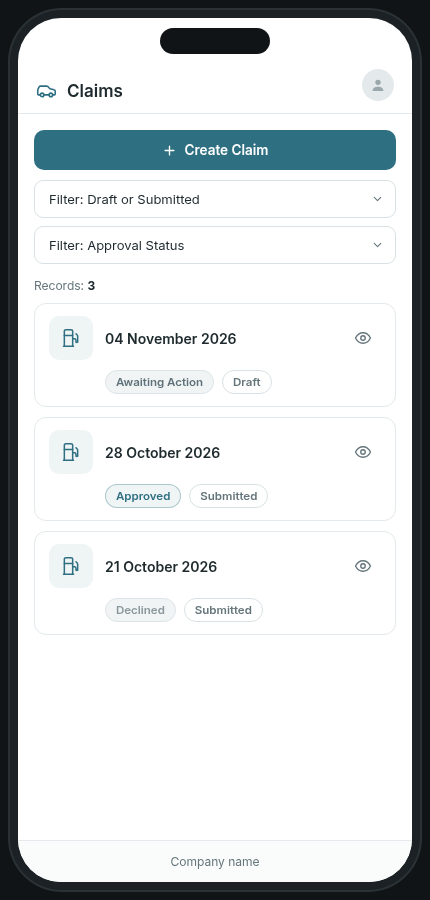
Staff claim petrol money back when they use their own vehicle to visit clients because a company vehicle isn't available. I built a Power Apps claims app connected to Power Automate, SharePoint, Teams and Outlook. Each claim is linked to the user's Microsoft account, and the app works on a phone, so claims can be captured on the road.
02
The problem
Claims were filled in on paper and handed to one person, who filed them and told the managers. Managers then had to notify finance, and the amount owed was worked out by hand. Nothing checked that the details were complete or correct, and there was no single view of what needed to be paid each week.
03
What I built
The app follows the claim from first capture to payment, with checks at every step so incomplete or incorrect claims can't get through.
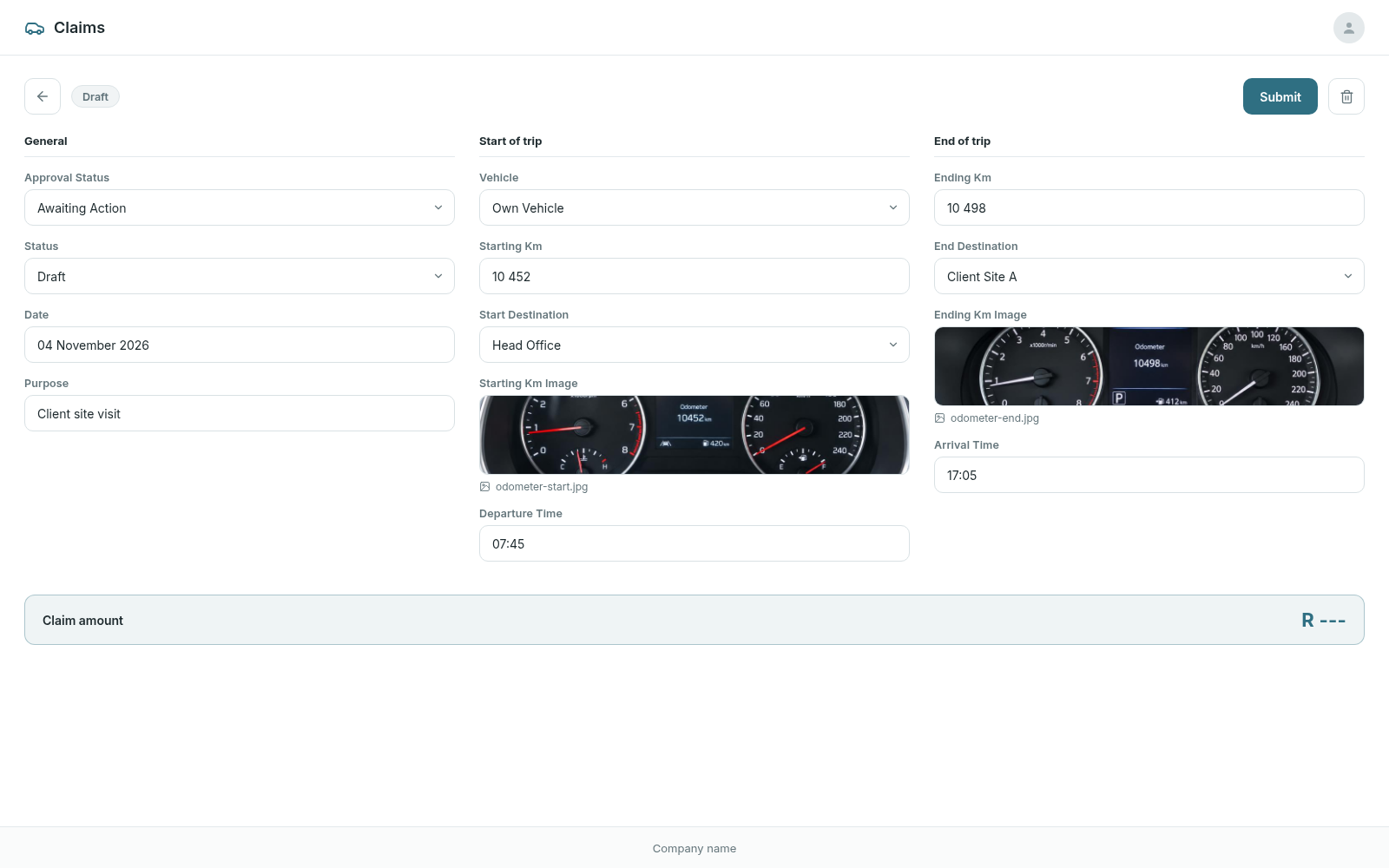
- Save a claim as a draft and finish it later, with a reminder that drafts must be submitted to be paid
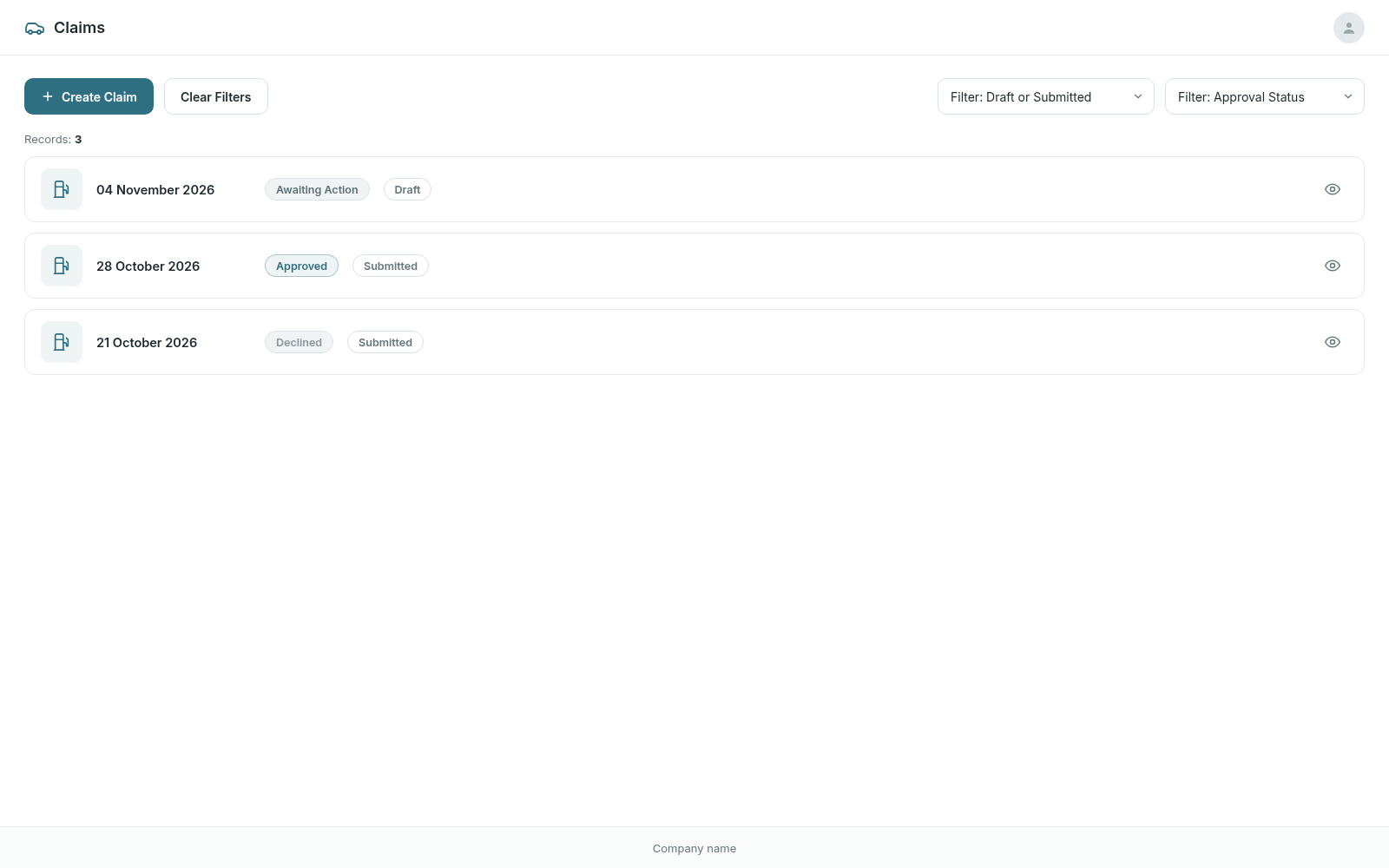
- Filter claims by status (draft or submitted) and by approval (awaiting, approved or declined)
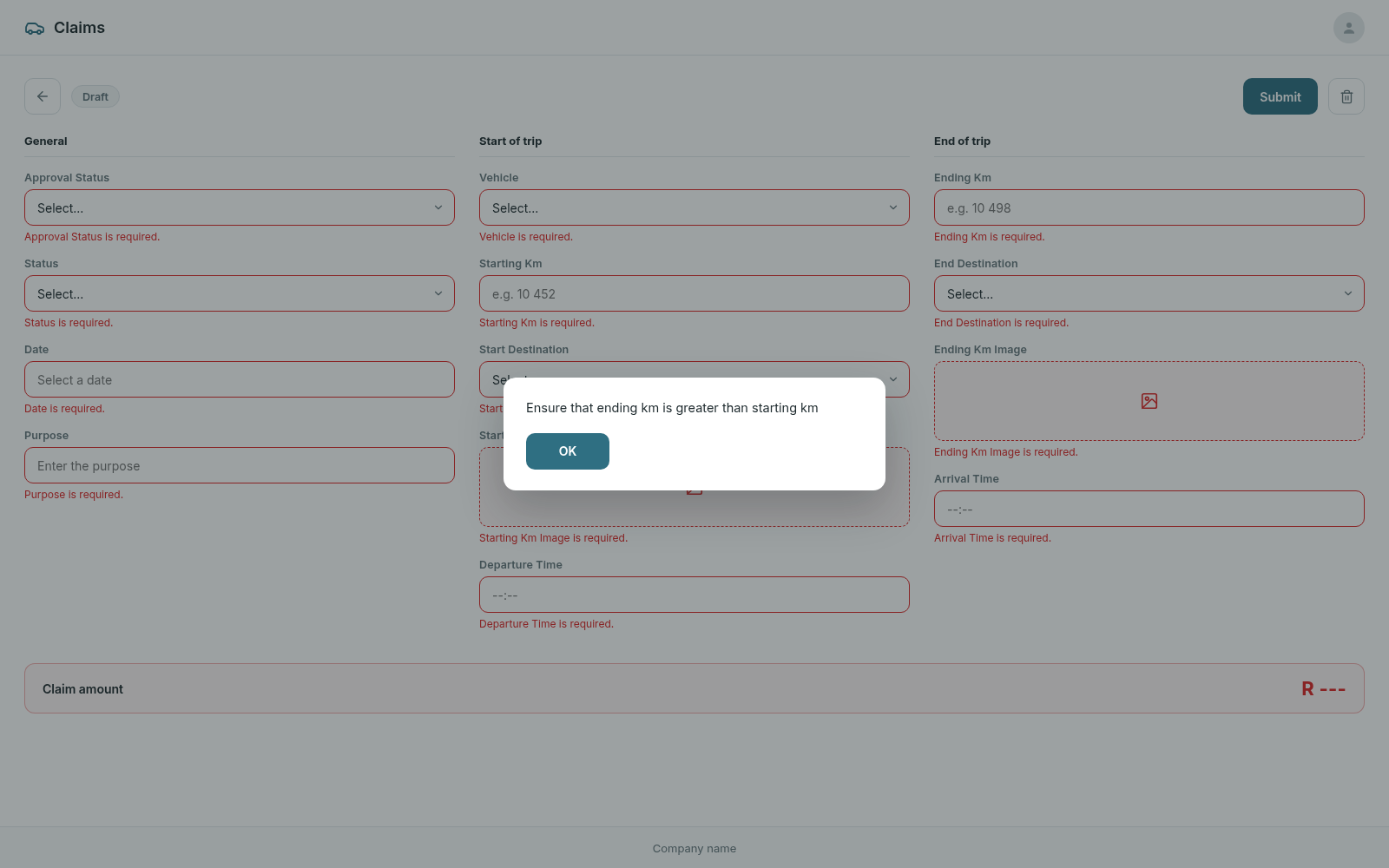
- Required-field validation on submit, with a clear message under each missing field
- A check that the ending odometer reading is higher than the starting one
- Odometer photos for the start and end of each trip, as proof of distance
- Vehicle and destination dropdowns driven by SharePoint lists
- Automatic payment calculation based on the AA rate for South Africa
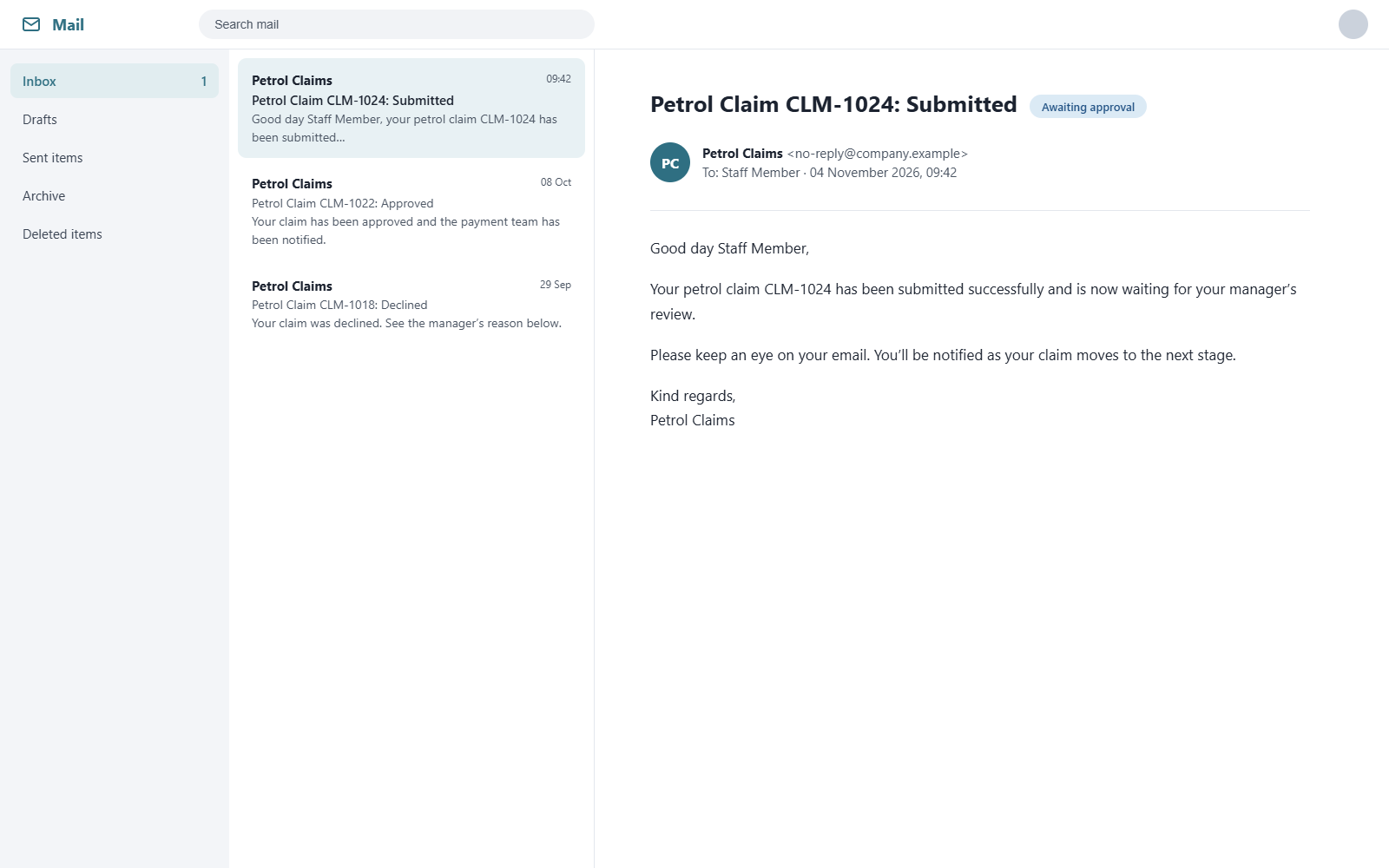
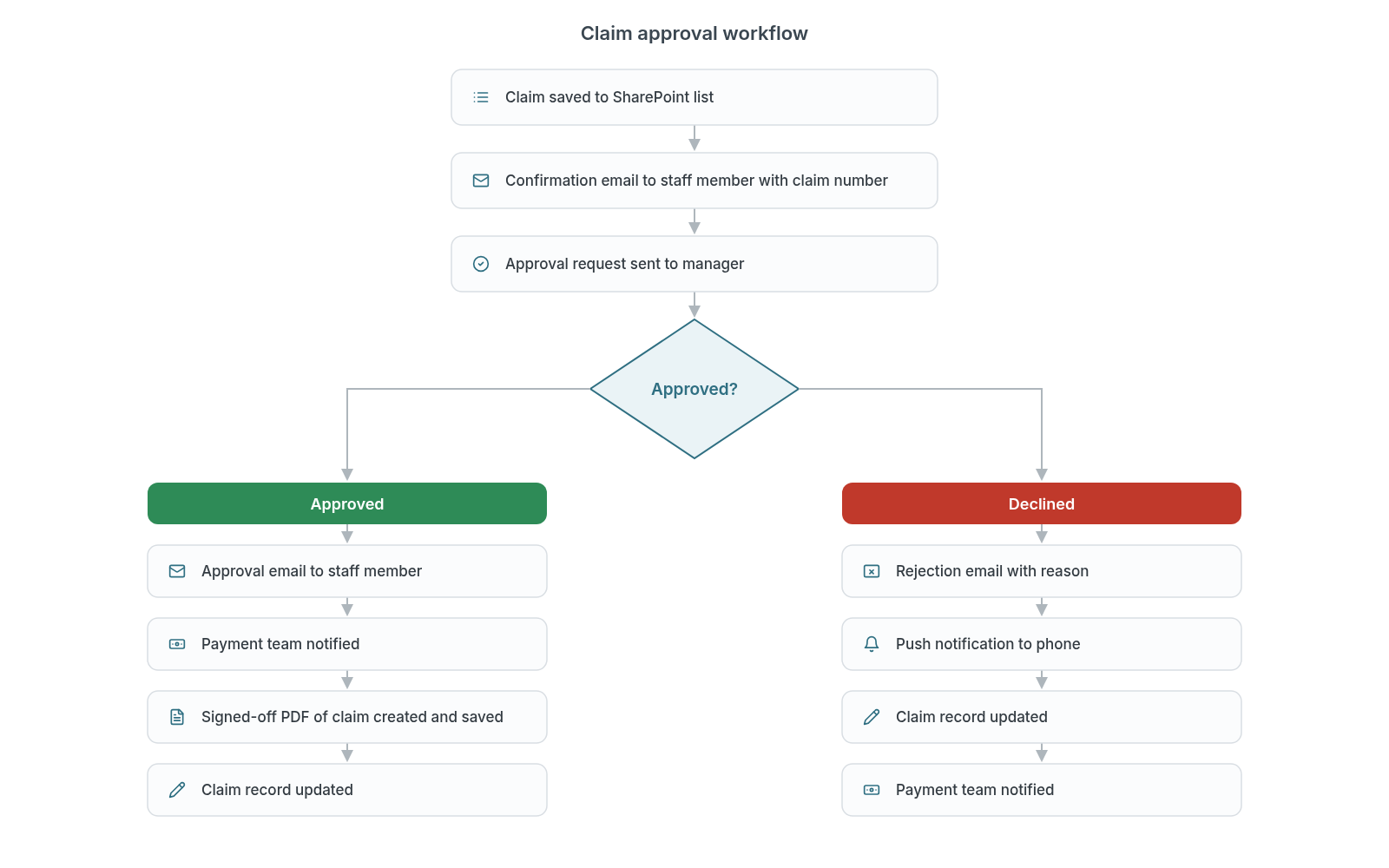
- A Power Automate flow that emails the user a claim number as soon as the claim is submitted
- An approval request sent to the manager, who approves or declines with a reason
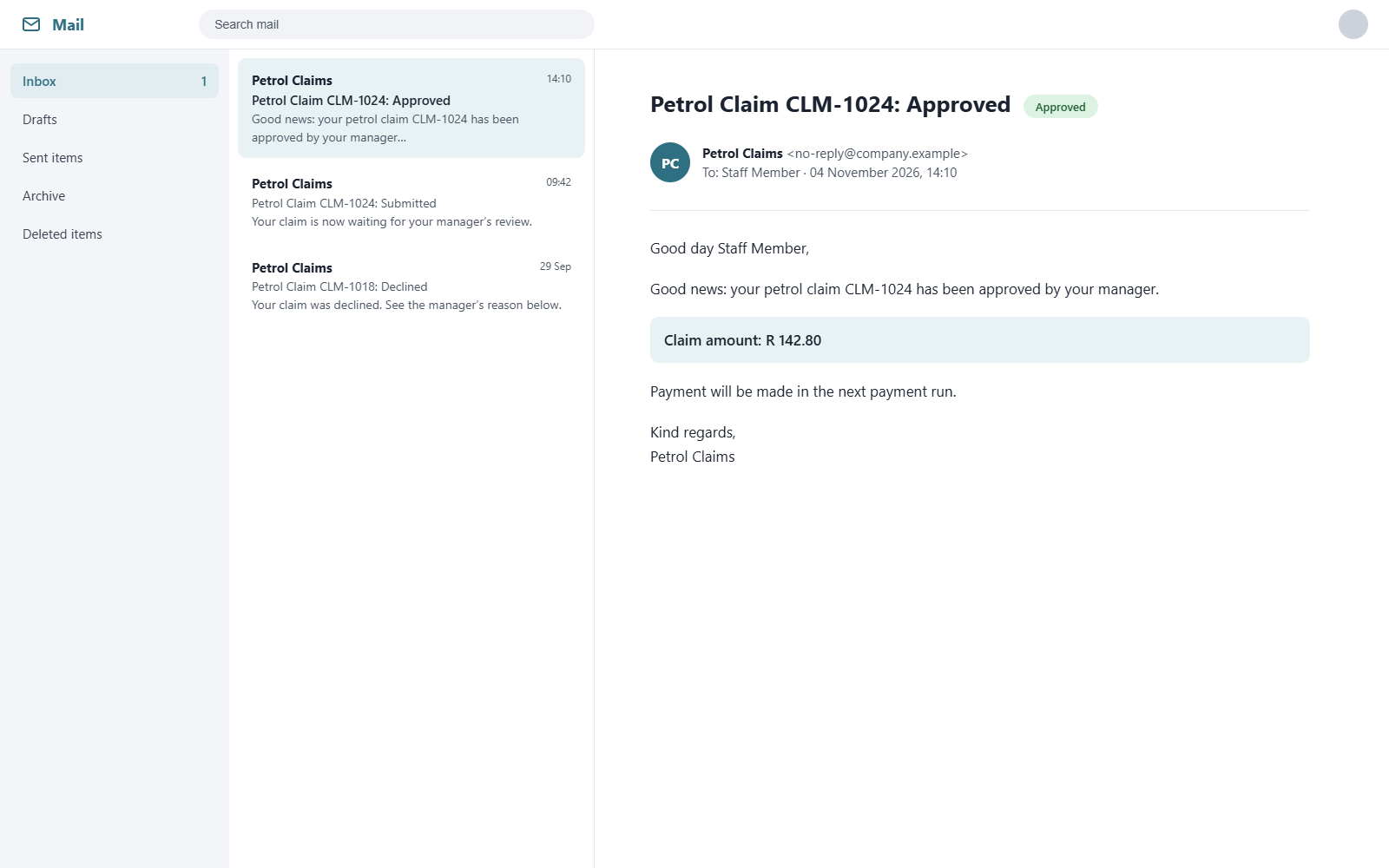
- Approved claims: an approval email to the user, a notification to the person handling payment, and a signed-off PDF of the claim saved automatically
- Declined claims: a rejection email and a phone push notification to the user
- The claim record in SharePoint updates automatically at each step
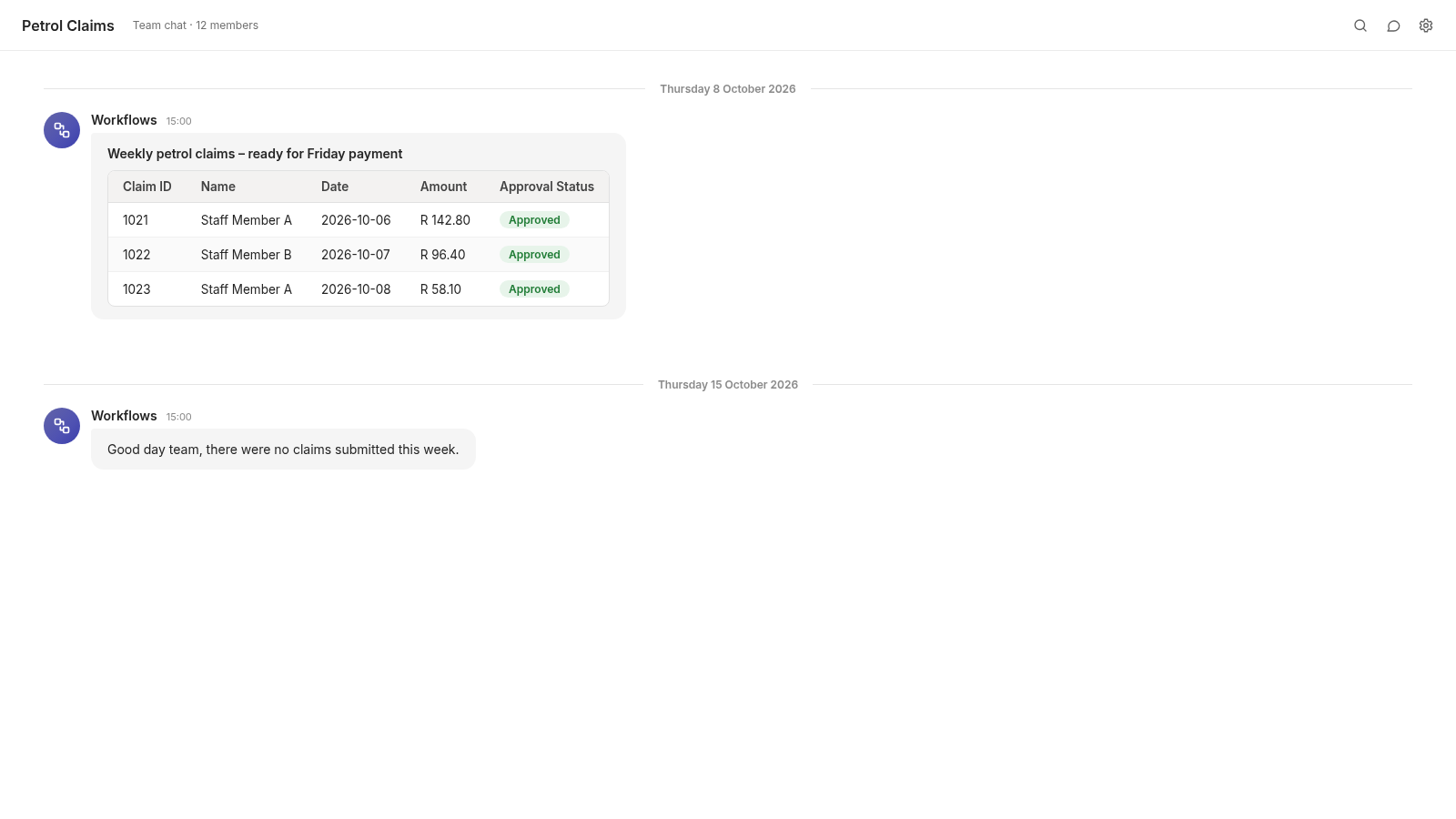
- A weekly scheduled flow that runs every Thursday afternoon, collects the week's submitted claims from SharePoint and builds them into a payment table
- The table (claim number, name, date, amount and approval status) is posted to Teams and emailed, so payments can be made on Friday. If there are no claims, the team is told that instead
- A delete option with a confirmation step
04
How it works
05
Tech used
 Power Apps
 Power Automate
 SharePoint
 Microsoft Teams
 Outlook
Screens are recreated mockups using sample data. The original system is private to the client.
Next project
SharePoint Sites and Storage Management